
12 Awesome CutTime Features to Rock Your School Year in 2025
The start of school is officially here! I remember how exciting it was to relish the creative possibilities that lay ahead with returning and new members to my program, but the onslaught of relentless start up demands made me do a full body cringe and dampened the joy of the moment. While I was teaching, there was no dedicated digital platform to handle my operational juggernaut of a fine arts program.
Oh how times have changed! Email. Text. Spreadsheets. Apps. And now AI tools are at everyone’s fingertips. But connecting the digital dots for fine arts education programs is a much higher calling. To truly set your music, dance, or theatre program up for success, you need a well integrated set of administrative tools that feed and enhance the work you are doing on a daily basis.
Most of us tend to stick with what works. But what if that approach keeps getting harder and more draining each year? If you are seeking a less taxing path to accomplishing the nitty gritty for your program this season, check out my list of twelve awesome CutTime features that can help things go more smoothly (and get your members and their families bursting into song).
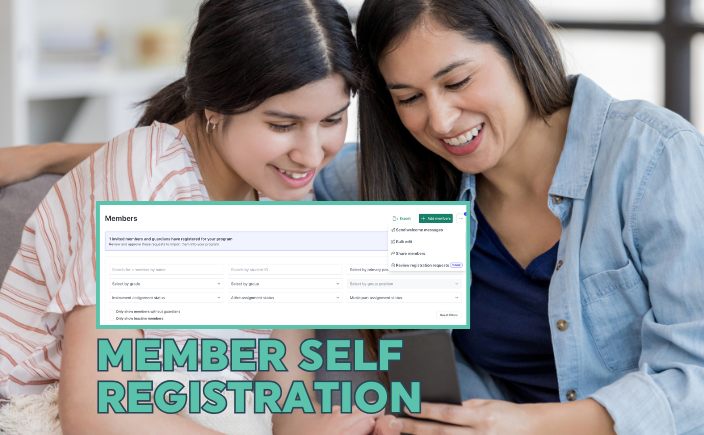
1. Online Registration for Members
One of the more arduous tasks in getting your program year jumpstarted is rostering. School systems take time to catch up on their information rolls, especially with incoming students and transfers. You’ve got a LOT to communicate in these early weeks, but you’re plagued with incomplete contacts for members and their guardians. You are trapped in the resending loop to individuals you didn’t realize were missing from your list. Instead of dealing with sign up sheets and imports, now you can invite your members and their guardians to register for your program! We’ve simplified the entire workflow for you and your members so they can input their details via a form, you review and approve their join requests, and et voilà, you’ve got your membership rolls ready to roster into Groups. If someone arrives later in the season, just trigger a registration session for them! Learn more about this feature here.
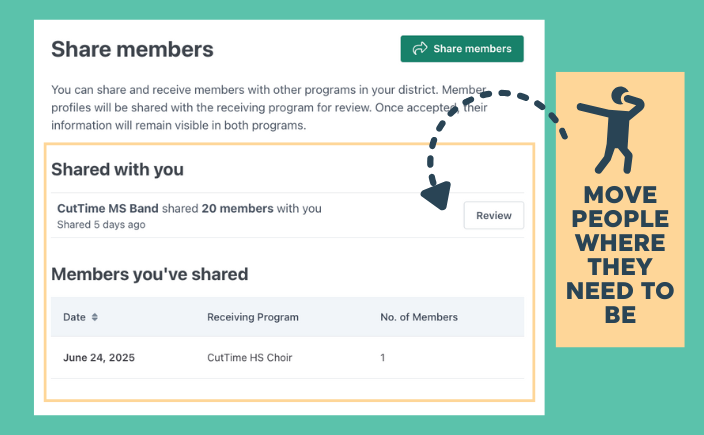
2. Member Sharing Between Programs
Got new members transferring in from another program in your school district, or didn’t get a chance to accept incoming members from one of your feeder schools at the end of last season? Skip the gnashing of teeth. Instead, ask your fellow directors to ‘share’ those members with your program. For more information about how this works, watch this video here.
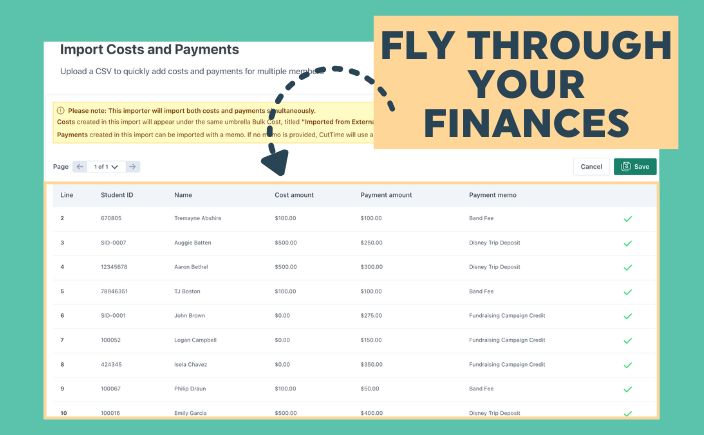
3. Import Costs and Payments
Another essential—and yes, super fun—start-of-season task is setting up starting balances for everyone in your program. (Did my sarcastic side just slip out? Absolutely.) To make this process easier, we’ve added a sleek new importer template that lets you bulk upload cost and payment data directly into your program’s CutTime account. My favorite part? The built-in review wizard. It checks your data for formatting issues and helps you fix them fast—no headaches required. You can read more and grab the template in our help docs here.

4. Manual Payment Allocation
People want more control over their finances—and that’s especially true in fine arts programs. With CutTime, Administrators, Teachers, and Booster leaders can directly allocate member payments to specific costs. Even better, members and guardians can choose to make payments toward particular items, like trip deposits or equipment fees. This level of control helps ensure that important payments don’t slip through the cracks. To make tracking even easier, use the Payment Allocation Report, located under the Payments tab in your Financials Dashboard. It’s your go-to tool for quick reconciliation and clear oversight. Learn more about how to manage allocations here.
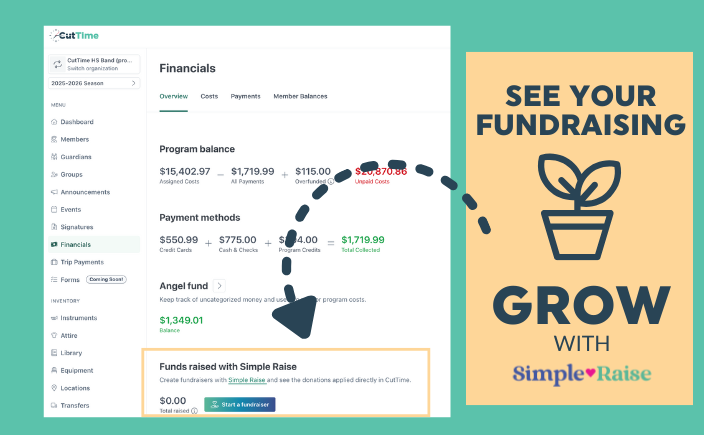
5. Simple Raise Fundraiser Tracker
Fundraisers are the lifeblood of many fine arts programs. As a teacher, this is one more time sensitive administrative task on your plate. With our Fundraiser Tracker, now you can keep a closer eye on your fundraising progress without leaving CutTime. Conveniently located on your Financial Dashboard, you can get an instant update on funds raised through our sister platform, Simple Raise. This is just one of the many awesome ‘CutTime only’ integration benefits you and your program will enjoy. Get more details about it here.

6. Easy Breezy Member Financials
Truth. I never, ever wanted to do anything with accounting when I was coming up in school. But somehow, I ended up feeling like one in my 35 years as a band director! Dealing with financial statements and handling cash and checks for my members almost drove me into early retirement. Thankfully, CutTime eliminates ALL of these headaches by providing a beautifully modern and simple financial experience for your members.
First, CutTime provides a terrific at-a-glance summary of their current balance (overpaid or overdue). They also make it painless to see what’s been paid and what’s upcoming. If you enable online payments through CutTime, your members will enjoy greater, more secure payment options with their credit or debit card, as well as Apple and Google Pay. They can choose to save their card details and download a receipt. With this feature, they will see their payment show up in their account as soon as they submit, rather than having to wait for someone to record the payment.
An even cooler feature? Guardians can share specific costs with friends and family via a quick text message. For students in large families—or anyone with a generous support network—this can be a game changer. Recipients can tap the link to pay straight from their phones, and the credit goes directly to the student’s account. No extra steps, no confusion—just fast, secure support when it’s needed most.
Get a closer look at how the member and guardian payment experience looks and feels here.
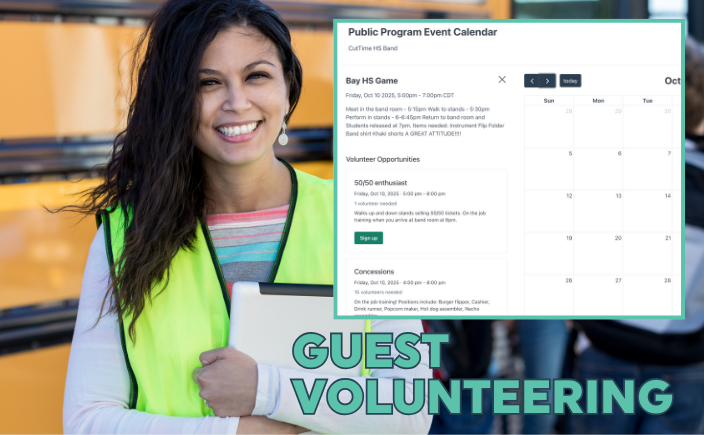
7. Guest Volunteering
There are never quite enough helping hands to tackle all of the important jobs for a fine arts program. Enlisting the support of alumni, extended family members, and fans in the community is easier with CutTime’s guest volunteering feature. You are empowered to open certain volunteering jobs to the public, which are posted as part of the event listing on your program’s Public Calendar. Guests sign up for your jobs using an embedded form. When submitted, you see the sign up and can approve or reject it based on your volunteering requirements. Check out our help docs here for a quick tutorial on how to do this.
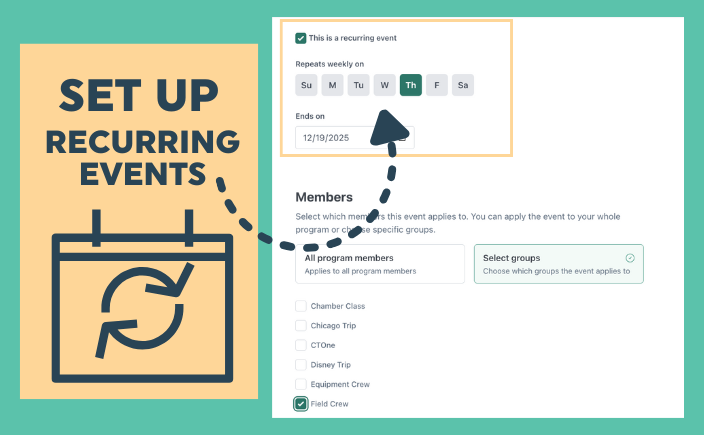
8. Recurring Events
The newest addition to CutTime’s Events suite is all about making your life easier—say hello to Recurring Events! Let’s be real: a big part of your job as a director or booster leader is managing a packed, well-organized calendar. Rehearsals, sectionals, lessons, games, booster meetings —you’ve got dozens of events that repeat week after week.
(Also, did I promise myself I’d never become an event planner? Yep. And yet, here we are…)
Luckily, CutTime now makes it a breeze to set up your weekly recurring events. Just choose the day of the week, set an end date for the series, and poof—they’re published. Another tedious task checked off your list. Learn more about them and our other event feature capabilities here.
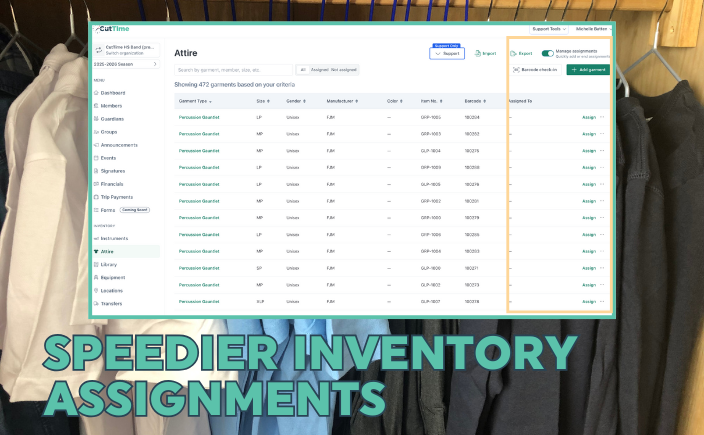
9. Inventory Assignment Mode
Another massive task that I (and my helpers) used to dread was Attire 'Assignment Day’. When I first started teaching, there were no such things as bar codes and readers! Instead, you had to look up and down a TYPED (not computer generated!) list of instruments or uniforms to find the one that was needed. Eventually, we were able to use a bar code scanner, but it had to be a wired device, so we had to bring the uniform to the desktop computer in the office. (Yes, there was a time before laptops and tablets!) and it took ages to scan each item. The kids hated standing in line for what seemed an eternity and inevitably someone would realize they received the wrong item, which turned into an even more confusing exercise to check in and then re-check out their stuff. We would take multiple days, with multiple parent volunteers, to get the job taken care of.
With CutTime, switching to Assignment Mode is as easy as flipping a button. Once you're in, just click Assign Attire next to a member’s name, and you’re ready to go. Using any mobile device with a camera and internet access, you can quickly scan barcode labels to assign each uniform piece on the spot. No special barcode scanner required—just your phone or tablet. Even better? This setup allows multiple student or guardian helpers to run assignment lines at the same time, making the process fast and efficient. Trust me, what used to take hours can now be done in minutes. When you are ready to return the attire, toggle the Manage Assignments button on the Attire page, and start scanning away.
With our Instrument Assignment mode, you can now send an Instrument Usage Agreement directly to the guardian, which they can review and sign from their phone. No more waiting weeks—or even years—for paper forms to come back, often signed by the student instead of the parent. And there's no need to store paper copies for every checked-out instrument. Everything is saved digitally, but if you ever need a physical copy, the signed document can easily be printed.
Learn more about how it works with instruments here and attire here.
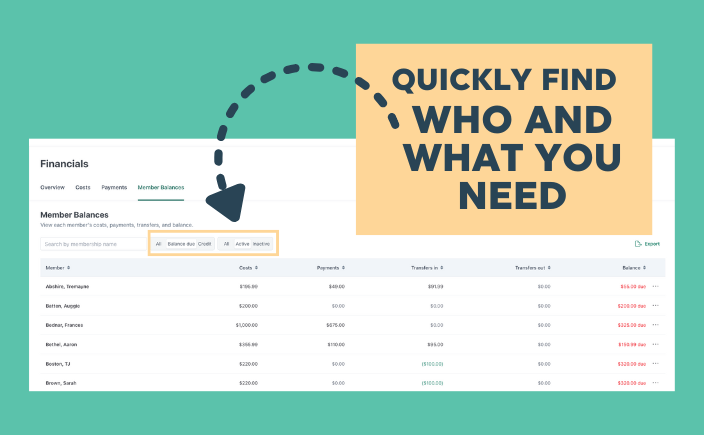
10. More Dashboard Filters to Find Things Faster
At CutTime, we believe that finding what you need should be effortless. Over the past year, our engineering team has added dozens of new filtering options to make sorting, searching, and discovering information faster and easier. In the Financials section, you can now filter costs by date and payment status, as well as view member balances by their payment status. In the Instruments, Attire, Library, and Equipment areas, extensive filters help you quickly zero in on the assets you're looking for. We’ve also expanded filtering options in the Members Dashboard to give you even more control over the information that matters most. Learn more about these great enhancements by viewing this video here.
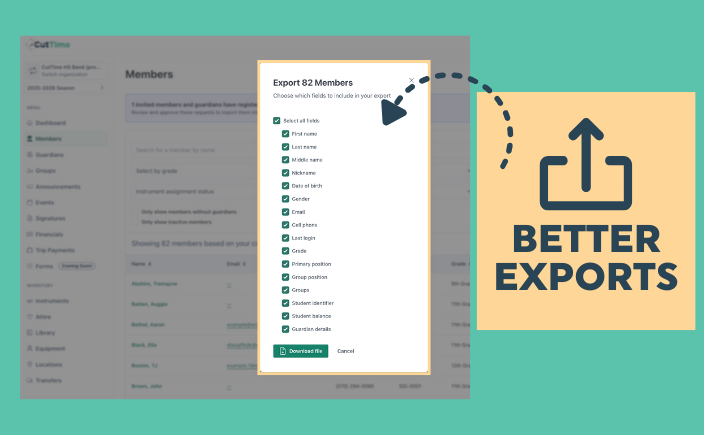
11. Better Exports for Reports
One of the biggest advantages of CutTime’s data filtering is the ability to tailor exactly what you need for exports. Whether you're creating a roster for bus and room assignments or generating a checkout list for field trip lunches, it's easy to pull just the right data—quickly and efficiently. See what you can do with Member Exports here, Financials here, and Attire Inventory here.
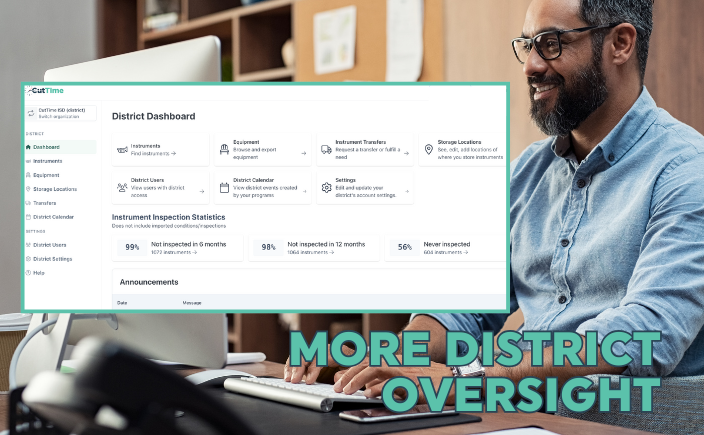
12. District Management
Fine Arts Administrators have the monumental task of overseeing all of their school district’s fine arts educational activities. Multiply this by a few dozen schools and you will find yourself cross-eyed and run ragged chasing down inventory much less the events that are happening across your programs. Great news! CutTime gives administrators the critical visibility they need with less effort and stress. Administrators have access to a ‘district-level’ dashboard enabling them to oversee instrument and equipment inventories, instrument transfers, and storage locations. On top of this, they can collect all of the public events happening with their music, dance, and theatre programs and publish them through a single district-wide calendar, which can be embedded on their web pages.
Best of all, District Level Users can manage their staff’s user roles, data permissions, and organizational assignments, plus see when they last signed into CutTime. You can see how all of these powerful features work here.
Count on us to support your biggest ambitions this next school season! There are more exciting timesaving tools and clever improvements to lighten your administrative load in store. Be sure to regularly open AND read through our monthly Product Update newsletter for the latest releases and cool upgrades to CutTime. Got impossible operational challenges and tasks that you need to complete? Get in touch! Connect with our team via chat or email or visit with us at an upcoming event in a city near you (see where our team is headed next in 2025 here). We want to hear what’s on your mind so we can remove unnecessary burdens from your daily plate. Have a great start to the year and reach for the stars!
Discover More Awesome Tools from CutTime
Make no mistake, getting the boring stuff done is critical to any fine arts program’s success. But it doesn’t have to rule your day. Learn how CutTime can revolutionize your communication, financials, fundraising, and inventory load.